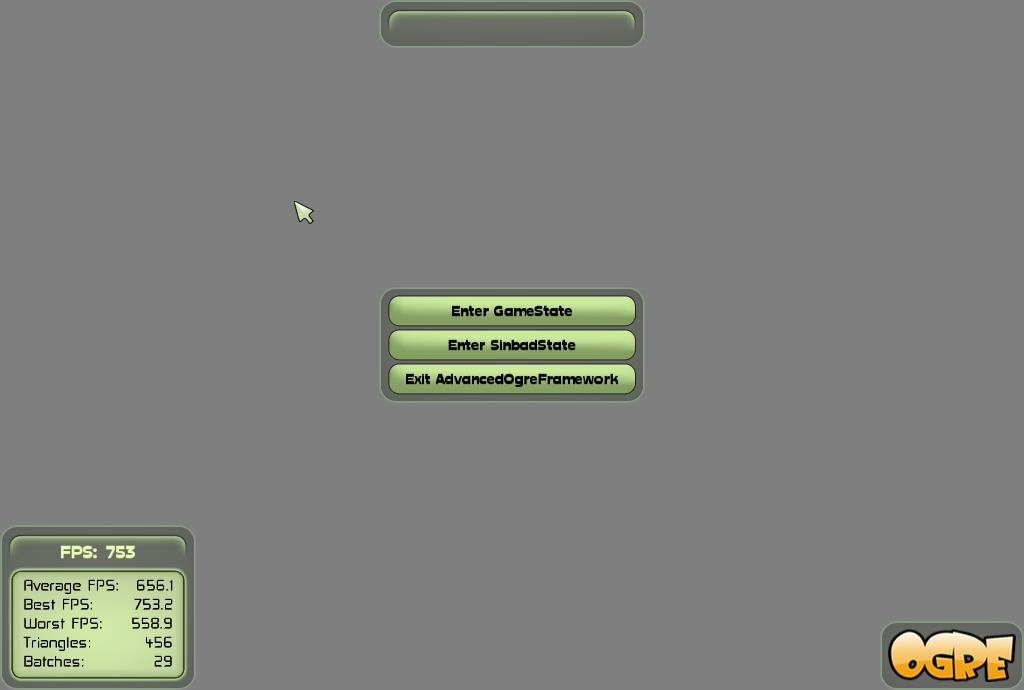
刚开始学习Ogre的时候,用的是BaseApplication这个框架,但是该框架不能满足更大规模的开发需求,比如不能进行游戏场景切换,游戏状态切换,后来我用了Advanced Ogre Framework,这是一个很不错的游戏框架,总共包含17个文件, 使用起来不是太难,可以看下官网上的介绍http://www.ogre3d.org/tikiwiki/tiki-index.php?page=Advanced+Ogre+Framework Ogre SKD中Sample_Character那个sinbad挺好玩的,花了点时间把它移植到到了Advanced Ogre Framework,可以很容易利用这开发一个小游戏或者虚拟人物漫游系统,至于场景的话可以在3dsmax中构建,然后利用Ogremax插件导出为场景文件,在createscene方法中加入下面三行代码即可导入场景 [crayon-69d91ff19b93c511578864/] 我在Advanced Ogre Framework新增加的四个文件代码如下,加入的这四个文件实现了可操纵的sinbad: SinbadCharacterController.hpp [crayon-69d91ff19b947319062606/] SinbadCharacterController.cpp [crayon-69d91ff19b94c428688263/] 上面两个文件主要负责sinbad这个角色的创建 SinbadState.hpp [crayon-69d91ff19b952070477881/] SinbadState.cpp [crayon-69d91ff19b957318772213/] 上面两个文件创建了一个state,除了加入的这是个文件以外,还需要在MenuState.cpp,PauseState.cpp中各创建一个按钮,Demo.cpp中加入一个状态,具体的可以看下我分享的代码,代码下载地址: [Downlink href="http://jchblog.u.qiniudn.com/201404/AdvancedOgreFramework-test.zip"]加入了可控制sinbad的Advanced Ogre Framework[/Downlink] 程序运行部分截图: 菜单界面 Sinbadstate界面
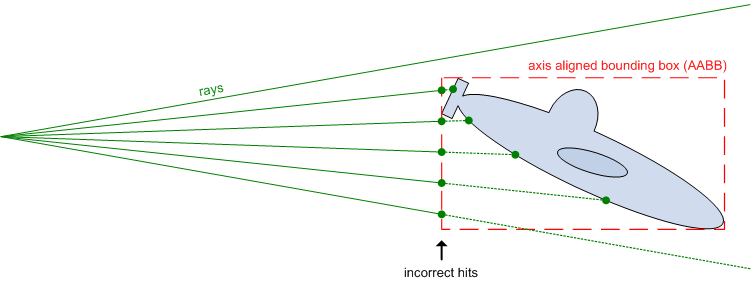
Ogre中的射线查询一般只能侦测到边界盒(AABB),就像你在下面图片看到的,使用下面的代码就能避免这些。 初始化射线查询: [crayon-69d91ff19db38489281963/] 射线投射: [crayon-69d91ff19db41385238875/] 得到网格信息: [crayon-69d91ff19db46999067043/] 如果要考虑对处于运动状态物体做碰撞检测,可使用如下的得到网格信息代码(如果运动物体使用硬件蒙皮下面代码会出问题): [crayon-69d91ff19db4b977250584/] 总的原理是进行射线查询,然后获取模型mesh顶点与索引信息,将每三个顶点构成一个三角面,将定义好的射线与这些三角面进行相交,得到距离最近的交点,射线发射点与该交点距离即为最近距离,最后返回该最近距离。 具体代码使用大家可以参考MOC这个轻量级的碰撞检测库,官网上有示例,可以很容易的掌握。

这篇文章主要是自己对一些Ogre容易错的知识点的总结,会不断补充更新: (1)ogre中,坐标变换是相对于parent节点的,比如节点node1 Position(10,0,0),node1创建一个子节点node2,我们打算设置位置为(10,10,20),由于坐标变换是相对的,所以node2需要setPosition(0,10,20) (2)相机的clipdistance要设置好,比如前面遇到的看不到天空 (3)我的场景中,所有物体是通过场景文件.scene导入的,要得到场景中所有Entity,给所有物体设置标识可通过如下方法: [crayon-69d91ff19e59d694538447/] (4)使用粒子系统要记得载入Plugin_ParticleFX.dll插件,在plugins.cfg中要添加该插件路径,如果不添加插件,运行时程序会抛出异常:Cannot find requested emitter type
最近在creatScene方法中一直实现不了天空,编写了天空代码,可是看过去天还是黑色的,也就是背景颜色,设置了好多种天空类型都是一样结果,最后从谷歌搜索到的某个论坛中看到了解决方法,是我的clipdistance没设置正确,原来为 [crayon-69d91ff19ee33353423023/] 后来改为 [crayon-69d91ff19ee3c112285444/] 就正常了,这是因为天空太高,相机的FarClipDistance得设置的远一些,这样才能看到天空。
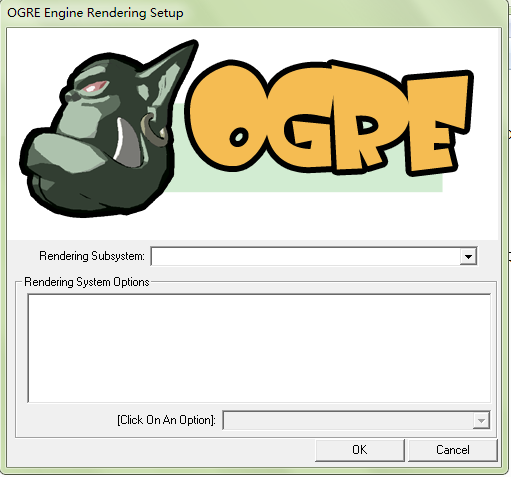
为了进一步学习,今天下了个Advanced Ogre Framework代码,而不用以前的baseapplication框架,代码在release下顺利运行,然而在debug时却出现了下面这种情况 也就是配置对话框是空白的,不能进行配置,导致无法进一步运行,想了好久,也不知道为什么,看了下plugins_d.cfg也没发现什么问题,这时候也只能靠谷歌了,在ogre config dialog empty? (solved)这里找到了答案,是这样回答的: 也就是在release模式下配置对话框正常,debug模式下不正常,这是因为在debug文件中,插件配置文件名为plugins_d.cfg,而不是 plugins.cfg,Ogre在项目的bin与OGRE_HOME debug文件下都需要plugins.cfg,复制plugins_d.cfg重命名为plugins.cfg就可以了。 按此解决方法,我在sdk/bin/debug下面复制重命名了一个plugins.cfg,然后点击exe文件,对话框正常了,可以进行配置了。
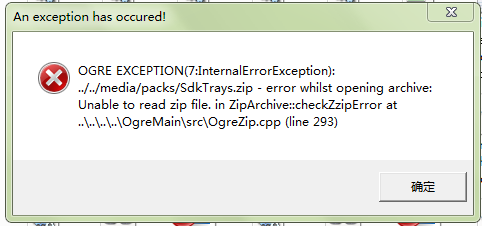
由于毕设做的是基于Ogre的虚拟漫游系统,所以最近在很努力地学习Ogre知识。 刚才使用 Ogre AppWizard创建Ogre向导后,在vs2010下可以编译运行,但是在项目debug文件下运行时提示缺少.dll文件,去Ogre wiki上查了下,是这样说的: Missing a Configuration File or DLLs If you try to launch your freshly built application but the program complains of missing DLLs or configuration files (*.cfg), then you probably did not copy them over from the OgreSDK folder. In Visual Studios, when you build your application in release mode, it puts the release executable in the [ProjectFolder]\bin\release folder, and the debug executable in the [ProjectFolder]\bin\debug folder. You must copy all the ".dll" and ".cfg" files over from the OgreSDK into the appropriate folders. That is, copy the files from [OgreSDK]\bin\release to [ProjectFolder]\bin\release and [OgreSDK]\bin\debug to [ProjectFolder]\bin\debug. You will also need to edit the resources.cfg file to point at the correct paths. See the next section for more information on this. 也就是需要把[OgreSDK]\bin\debug下的全部文件都要拷贝到项目文件夹的debug下面,我按这说了,拷了过去,点击.exe文件,可是却提示:Unable to read zip file 再去查了下wiki,这样说的: Make sure you have a plugins.cfg and a resources.cfg in the same directory as the executable. Plugins.cfg tells OGRE which rendering libraries are available (Direct3D9, OpenGL, etc). Resources.cfg is used by the ExampleApplication and specifies paths to textures, meshes and scripts. Both are text files, so edit them and make sure the paths are correct. Otherwise your OGRE setup dialog box may not have any rendering libraries in it, or you may receive an error on your screen or in Ogre.log that looks something like this: Description: ../../Media/packs/OgreCore.zip - error whilst opening archive: Unable to read zip file 也就是需要把Resources.cfg中的路径配置改了,我把media文件夹都拷贝过来,media文件夹位置:D:\vs 2010\Projects\media,项目debug位置:D:\vs 2010\Projects\OgreApp4\OgreApp4\bin\Debug,设置好media文件夹相对于可执行文件的相对路径, 把Resources.cfg中media路径都改了,如下所示: [crayon-69d91ff19f696518341940/] 再次运行,可以正常运行了,错误也都没了,好吧,第一个简单的Ogre示例就这样跑起来了,这个脑袋看过去有点呆啊。

花了点时间利用谷歌自定义搜索与百度自定义搜索写了个百度网盘搜索,地址http://dupanso.jianchihu.net/,原理很简单,其实平时也可以用如下命令搜索: 文件名称 site:pan.baidu.com,例如:霍比特人2 site:pan.baidu.com,在百度谷歌等搜索引擎都可以利用这个命令搜索 其他网盘搜索也类似,比如360网盘搜索霍比特人2:霍比特人2 site:yunpan.cn 更新日志: 2014.02.25 1.0:正式上线,提供百度与谷歌双搜索,采用双框架页面设计 2014.03.01 1.1:采用按钮切换谷歌与百度搜索页面,去掉原来双框架页面设计
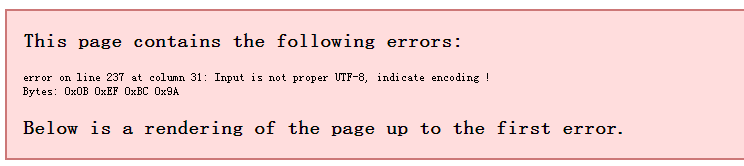
今天打开本博客的rss发现显示如下错误: This page contains the following errors: error on line 136 at column 80: Input is not proper UTF-8, indicate encoding ! Bytes: 0x0B 0xEF 0xBC 0x9A Below is a rendering of the page up to the first error. 我很纳闷这是为什么呢,前几天打开还好好的,仔细阅读以下该错误提示:输入的不是正确的UTF-8编码。输入的不就是文章内容吗,难道是文章内容字符编码问题,我想到了前天从word拷过来的一篇文章,我把该文章先暂时移到回收站,清理下浏览器缓存,再打开rss发现正常了,果然是文章内容编码问题。我想是word里面有些内容编码在wordpress编辑器里成为了非法字符,导致输出报错。我检查了那篇文章,发现是表格那个地方有问题,从word那里直接复制的表格到wordpress里并未格式化。 所以word里面牵涉到特殊样式的内容(比如表格)最好不要直接复制,否则会报错。


